⚠️ IMPORTANT: First-Time Access & Safety Induction
We operate a fully automated, humanless facility. There may be no staff on-site to assist you in person.
For your own safety and the security of the site, your access code may NOT be active until you have completed the mandatory Safety Induction. Our staff will guide you through the safety procedures.
How to Find Your Gate Code
Follow these 4 simple steps on your mobile phone to find your entry code.
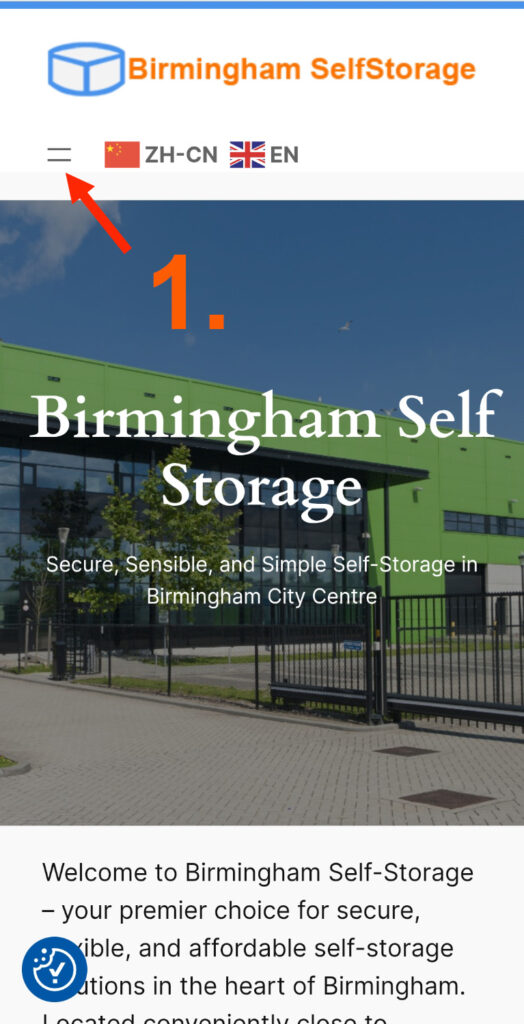
Step 1: Go to our website
Open your mobile browser and go to birminghamselfstorage.uk.
Look for the menu icon in the top left corner
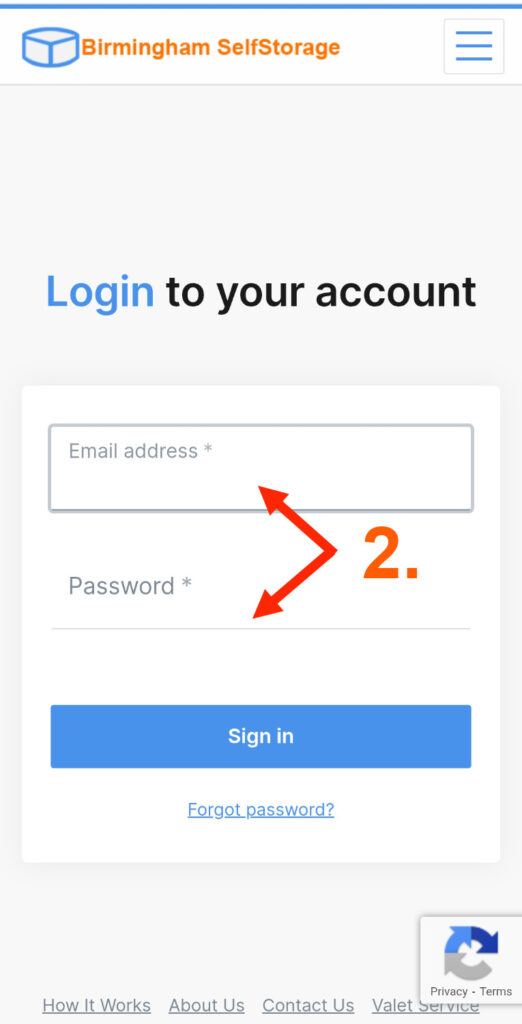
Step 2: Log in to your account
Tap the menu and select Login, or Click Here to jump directly to the login page
then enter your email address and password.
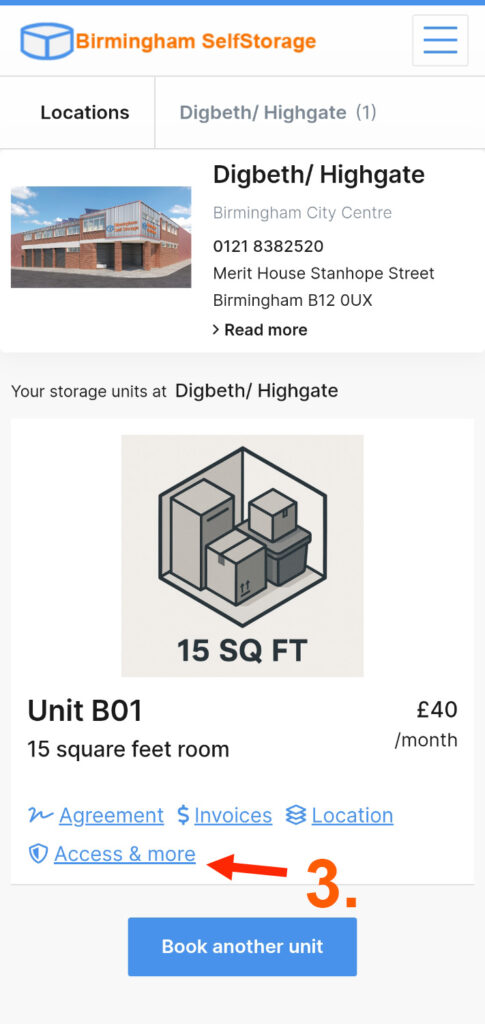
Step 3: Tap “Access & more”
Once logged in, you will see your unit details.
Scroll down and tap the blue link that says Access & more.
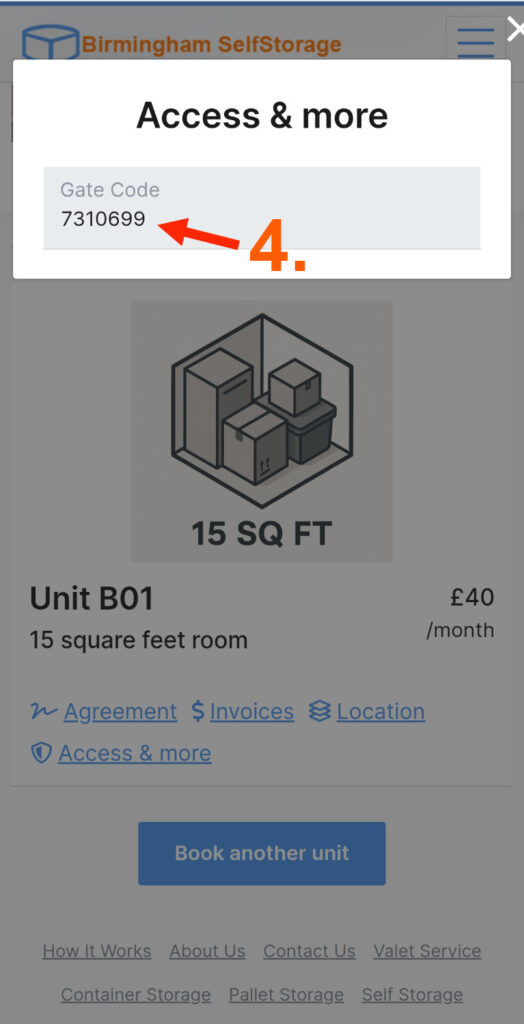
Step 4: View your Access Code
A pop-up window will appear showing your unique Gate Code, as per screenshot below.
The section below only applies to the Digbeth/Highgate Site. Click here for Access Information for Duddeston/Saltley site.
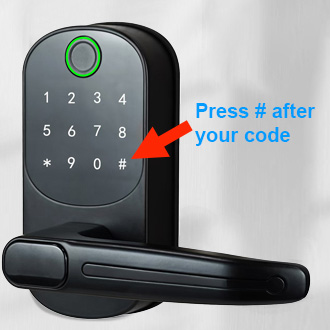
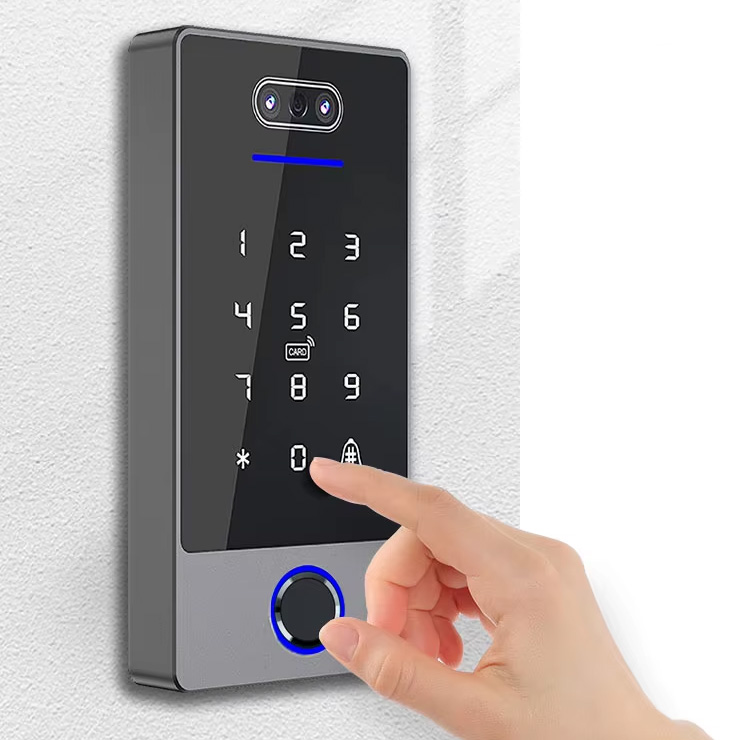
💡 Top Tip: Using the Keypad
When you arrive at the gate or door keypad, enter your code followed immediately by the Hash (#) key. You will hear the “Door Open” voice.
FAQs: Accessing the Site & Your Unit
Q1. What time do your site open? When can I access my unit?
Answer: You have 24/7 access.
We operate differently from traditional self-storage. Our facility is fully automated (“humanless”), meaning you can arrive, unlock the gates, and access your unit at any time, day or night, without needing staff on-site.
Need your access code? Please refer to the guide at the top of this page to find your unique code.
Q2. I am at the Digbeth/Highgate site, but it looks closed. How do I get in?
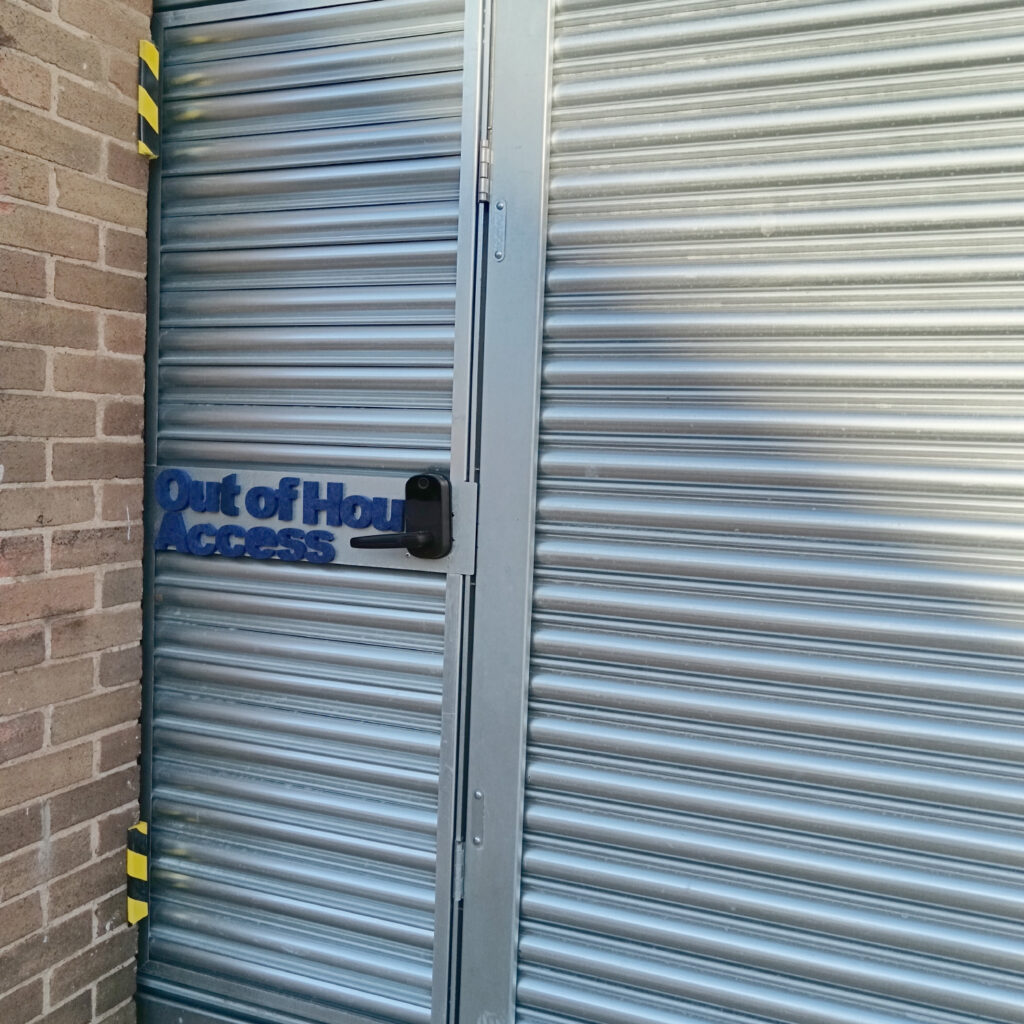
Answer: Don’t worry—because we are a 24/7 automated site, the main shutters may look closed when you arrive out of hours.
To enter:
- Go to the Emily Street side of the building.
- Look for the “Out of Hours Access” door (also known as the Racket Door).
- Use your access code to unlock this door.
Q3. The door is too narrow for my boxes. How can I open it wider?
Answer: The “Racket Door” is designed to open fully to let you move large items in.
How to open the door frame fully:
- Unlock and step inside through the small door first.
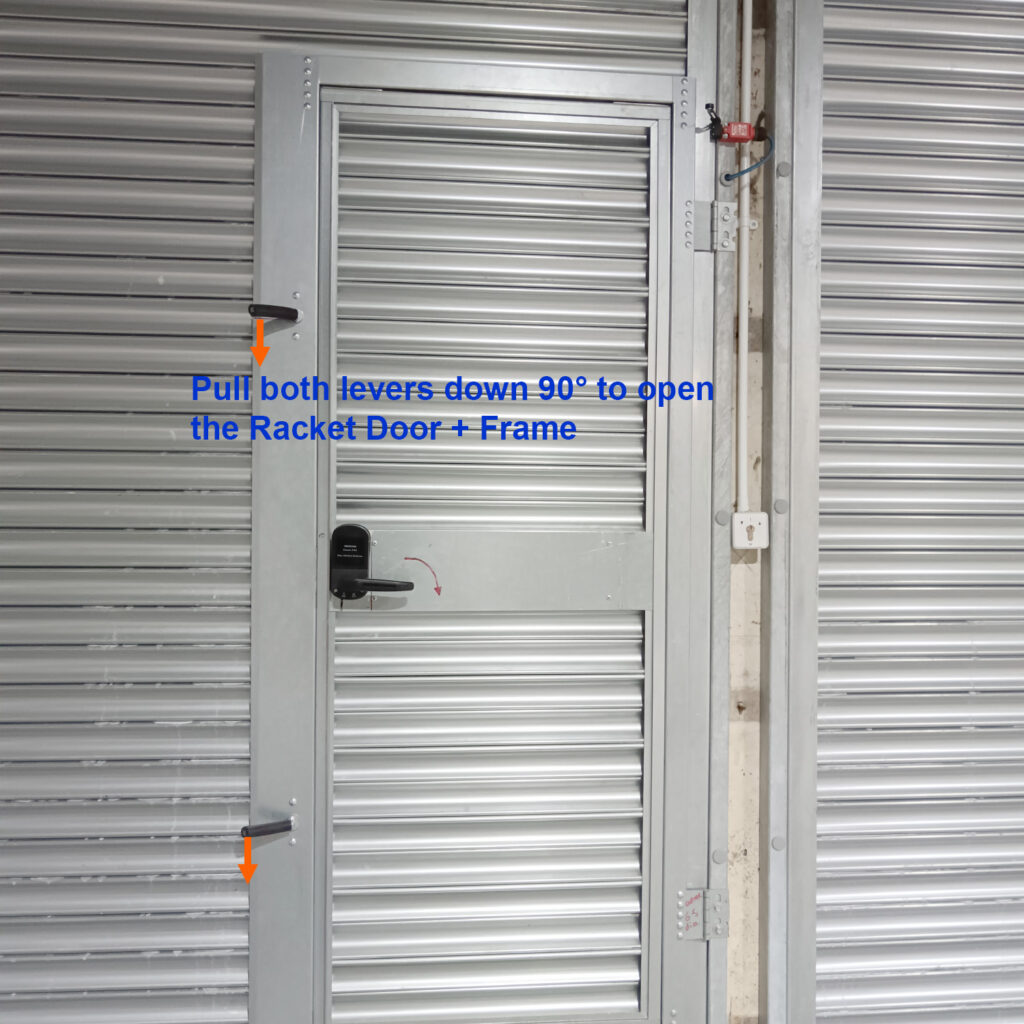
- Locate the two levers on the door frame (shown in the photo below).
- Pull both levers DOWN 90°.
- You can now swing the entire door frame inward to create a wide opening.
How to close it afterwards:
- Push the door frame back into the closed position.
- Ensure the external flap of the frame is aligned parallel to the internal flap (sandwiching the shutter in the middle).
- Pull both levers UP until they are horizontal to lock the frame in place.