
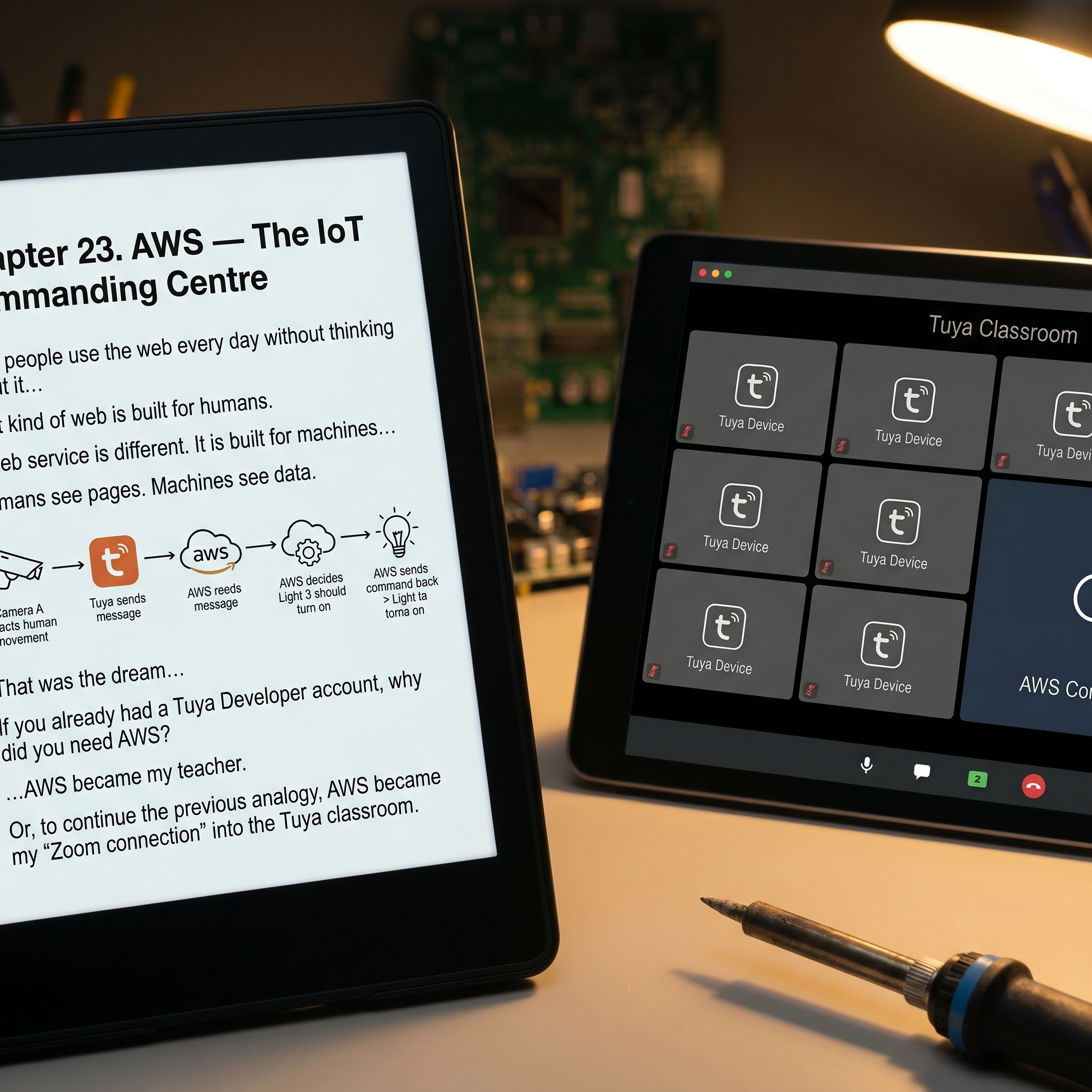
Part 4. AWS — The IoT Commanding Centre
AWS – Amazon Web Service can be confusing. Most people hear “web” and think of websites — the things we visit every day: BBC News, Amazon, YouTube, or a self storage booking page. Most people use the web every day without thinking about it. We open a browser, visit a website, click buttons, watch videos, read news, or buy something online.
That kind of web is built for humans.
A web service is different. It is built for machines.
When we visit a website, we see pages, images, menus, and buttons.
When one computer talks to a web service, it sends structured messages and receives structured replies.
For my self storage system, I didn’t need AWS to show pretty pages. I needed it to sit quietly in the background, listen to messages from Tuya, make decisions, and send commands back.
You may ask:
“If you already had a Tuya Developer account, why did you need AWS?”
Good question. I asked myself the same thing, usually late at night.
The Tuya Developer Platform lets you inspect devices, test API calls, and configure cloud services. But it is not where your own business logic lives. It is not the teacher in the classroom. It is more like the school office — useful, necessary, but not the person actively managing the noisy pupils.
AWS became my teacher.
Or, to continue the previous analogy, AWS became my “Zoom connection” into the Tuya classroom.
Then Came Pulsar Messaging
To make this work, AWS needed to receive messages from Tuya devices automatically.
At first, I expected Tuya to use something called a webhook.
A webhook is basically a way for one system to say to another:
“Something just happened — here is the message.”
Webhooks are widely used. They are simple, popular, and friendly enough for ordinary developers to understand.
However, Tuya did not choose the simple route. Tuya uses Pulsar messaging.
At first, this annoyed me. Why use something less familiar when webhooks are everywhere?
But after thinking about it, I began to understand the reason. Tuya has millions of devices constantly sending updates: lights switching on, cameras detecting motion, locks opening, sensors reporting status, alarms triggering. The volume of messages is enormous — several orders of magnitude higher than a normal business system.
A simple webhook might work for a few events here and there. But when millions of devices are talking all the time, you need a messaging system designed for high volume.
That is what Pulsar is for.
So, reluctantly, I accepted it.
Then I immediately misunderstood it.
The Wrong Rabbit Hole
At one stage, I became convinced that I had to learn how to subscribe to Pulsar messaging myself.
So I started searching for Pulsar tutorials, reading documentation, and trying to understand topics, subscriptions, consumers, brokers, tenants, and namespaces — all the words software people use when they want ordinary people to leave the room quietly.
After a while, I realised something both comforting and irritating:
Tuya had already done most of the heavy lifting.
I did not need to build a Pulsar system from scratch. I only needed to use Tuya’s message service correctly and write a Node.js script on AWS to listen to the messages Tuya made available.
In other words, I had spent time learning how to build a railway station, when all I really needed was to stand on the platform and wait for the train.
The Misspelled Variable That Nearly Broke My Brain
Just when I thought I understood the structure, I hit another ridiculous problem.
A careless engineer had misspelled Pulsar in several key setting variables as:
TUYA_PASULAR
Not Pulsar.
Pasular.
I stared at it for a long time.
When you are already confused, a spelling mistake inside technical configuration feels like someone has moved the staircase while you are walking up it.
Was “PASULAR” a Tuya-specific term?
Was it a special service?
Was I missing something obvious?
No. It was just a spelling mistake.
This is the kind of tiny detail that can waste hours, sometimes days.
The Part That Is Easy to Forget
The most important step, however, was also the easiest one to overlook.
Inside the Tuya Developer Platform, you must enable Message Service.
Without that, your devices may be working perfectly, your APIs may be correct, your AWS server may be ready, and your code may be waiting patiently — but no messages will arrive.
It is like building a post office, hiring the postman, printing the letters, and then forgetting to open the letterbox.
Once Message Service is enabled, you then need to set up BizCode message rules.
In simple language, this means deciding:
- Which devices should send messages
- What types of messages you want to receive
- Whether you care about motion detection, door opening, alarms, status changes, or something else
This matters because IoT devices are noisy. Very noisy.
A camera does not just sit quietly waiting for dramatic moments. It can report online status, offline status, motion events, human detection, storage status, alarm status, configuration changes, and many other things you never asked for but somehow now own.
So the BizCode rules are like telling the classroom:
“I don’t need to hear every whisper. Just tell me when something important happens.”
Once those rules were set, messages finally started arriving where I needed them.
The Commanding Centre Finally Works
With Tuya Message Service enabled, BizCode rules configured, and AWS listening through a Node.js script, the system finally started to make sense.
Now I could write logic like this:
If Camera A sends a message saying it detected human movement, switch on Light B.
Or:
If Door Sensor C reports that the door opened, start recording on Camera D.
Or eventually:
If a customer has paid, enable access.
If payment fails, disable access.
For the first time, the broken cloud logic became proper cloud logic.
The system was no longer just a pile of devices, scripts, and confusion. It had a centre. It could listen, decide, and act.
The classroom finally had a teacher.
And better still, the teacher did not need to be me sitting there with a cup of cold tea at midnight.
The broken cloud logic was finally fixed.
For a few days, I allowed myself to enjoy the victory.
I should have known better.
The Next Problem: Locks and Doors
As soon as I moved from lighting to access control, I discovered a new problem.
Many Tuya intercom does not support setting or changing user PIN codes through the cloud.
That was a major issue. For self storage, I needed access codes to be created, changed, enabled, and disabled automatically.
Then I found some Tuya locks that did support cloud PIN management.
Problem solved?
Not quite.
Those locks did not have the relay output needed to control sliding doors or external access systems.
So I found myself stuck between two types of devices:
- Intercom that could control sliding doors, but could not manage user PINs properly through the cloud
- Smart locks that could manage PINs, but could not control the sliding doors I needed
There seemed to be no single Tuya device that had both features.
After all the work on Tuya, AWS, Pulsar, encryption, APIs, and message rules, this felt slightly unfair.
Next Chapter: Why I Picked TTLock for User Access Control
free to follow my BSS journey — a real, unfiltered account of building an independent self-storage business in the UK, one problem, mistake, and hard-won solution at a time.
Leave a Reply