
When I graduated from university in 1996, I used to build my own PCs from components.
Back then, the operating system usually came on a CD — later a DVD — which you could use to boot up a completely empty machine and install Windows.
A few years later, after I started my own business in 2002, life became easier. I stopped building PCs and bought Acer, Compaq, HP, Lenovo branded machines. They arrived with Windows already installed — XP, Vista, Windows 7 — plug in, switch on, get back to work.
Ubuntu was something I had heard of, but never actually used.
Over the years, we accumulated many old PCs. I kept them because I thought they might one day be useful for my children to learn about computer hardware and networks.
My older daughter Julia showed absolutely no interest.
My younger son Darren did.
He picked up programming while playing Roblox, and at one point one of his playmates even asked him to build some virtual airports. Darren used some of those old PCs, installed Ubuntu on them, and hosted the projects himself.
So when I needed a local machine to run Node-RED, I already had both the hardware and, conveniently, a 13-year-old technical consultant.
Darren helped me install Ubuntu Server on another old PC using a USB stick containing the operating system downloaded from the internet.
No CD. No DVD. Apparently even operating systems have outgrown them.
Ubuntu Without Graphic Interface
The Ubuntu version we chose was the server edition. Unlike Windows, it does not greet you with a desktop, icons, colourful menus, or a friendly Start button.
It gives you a black screen and a command line.
Very welcoming.
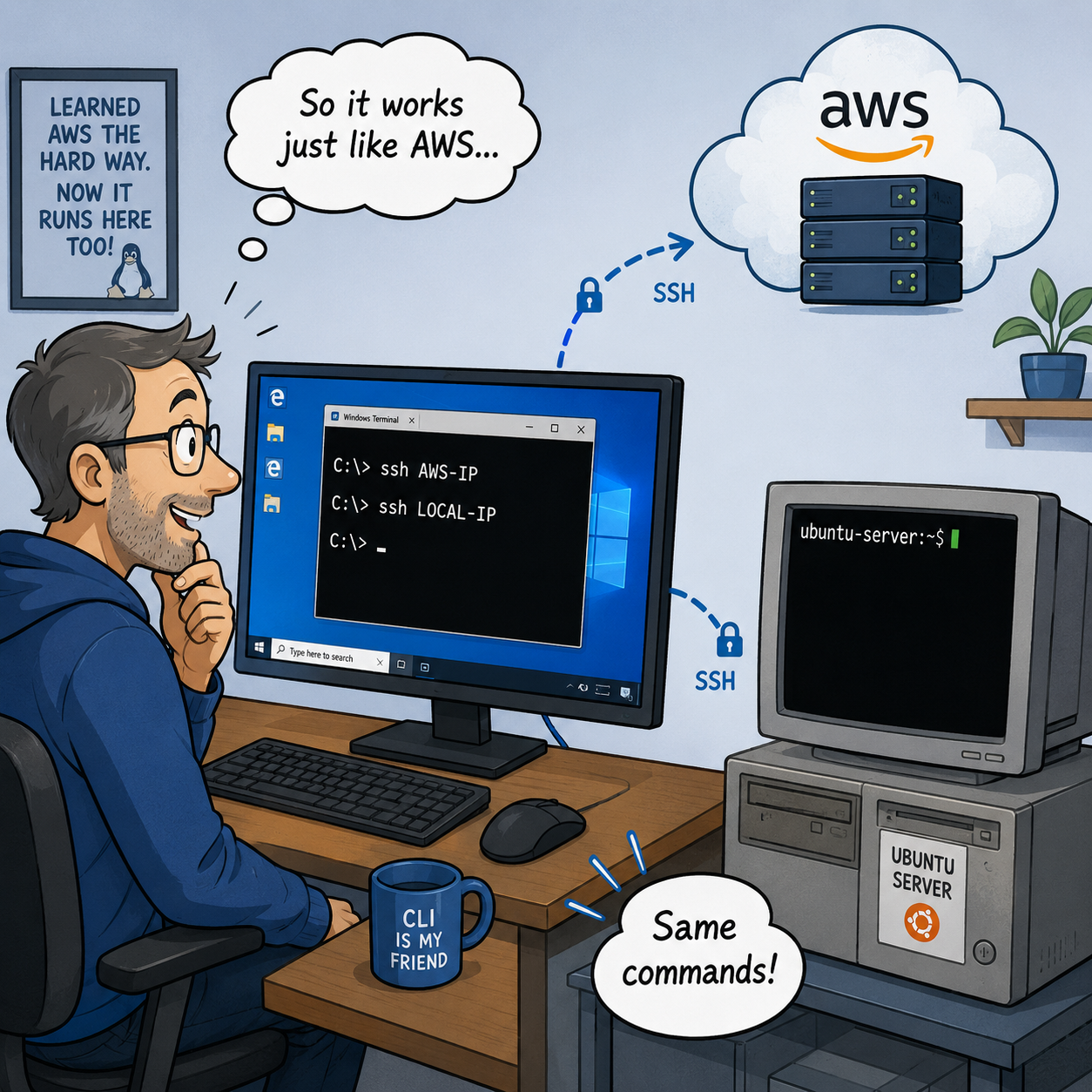
But the intriguing point is: we don’t normally do our work on it directly; instead, we access it remotely from a different computer (with our familiar graphic interface), exactly like how we do our work on the AWS server.
From a Windows computer, I could connect to it remotely using SSH.
For AWS, I might use: ssh AWS-IP
For my local Ubuntu: ssh LOCAL-IP
Once logged in, everything looked familiar.
In other words, after all the pain of learning AWS, I had accidentally trained myself to run my own local server too.
That felt like a rare moment when one headache actually paid for another.
My Own Little AWS
Installing Node-RED was fairly straightforward.
The fun parts are: adding cameras, light switches, and sensors as individual nodes.
For Tuya devices, I needed the local IP address and Device Key.
For Tapo cameras, I needed to create a Camera Account first.
Once connected, Node-RED began to look like this:
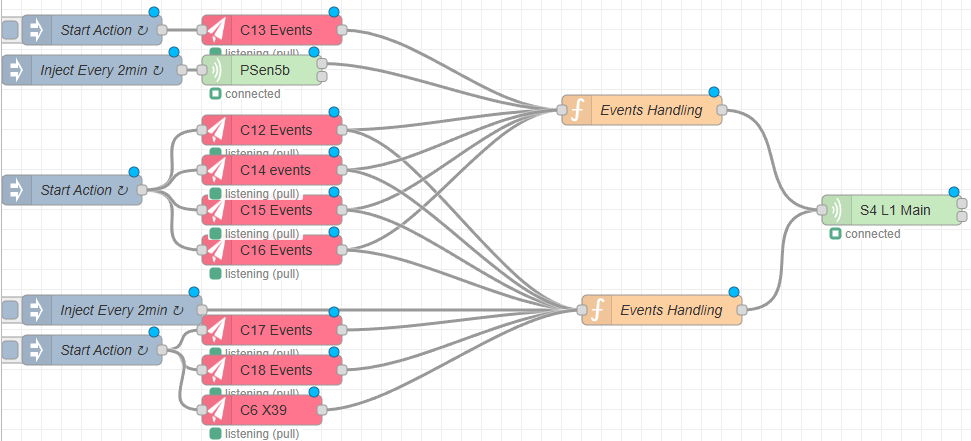
Cameras and sensors reporting events on the left, a small Event Handling node in the middle, and the light switch on the right.
Inside that Event Handling node was just a short piece of JavaScript.
Its job was basically:
What happened (reported by cameras/sensors)?
Should the light be on?
If yes, tell the switch.
That was it.
No Tuya cloud round trip.
No AWS in London or wherever it happened to be.
No waiting for the internet to think about it.
The decision happened inside the building. And the lights responded much faster.
The Old PC Became More Important Than Expected
Later, I realised Ubuntu machine could do far more.
For a small business like Birmingham SelfStorage, a local server like this can quietly replace services that would otherwise cost thousands of pounds a year. For example, we currently use it for things like:
- Intercom services
- Smart CCTV / NVR software
- Trade customer ledger systems
- Mesh-network related services
What started as an old PC rescued from retirement slowly became a critical part of the site.
That is another recurring theme in this project: the expensive-looking solution is not always the best one.
Sometimes the most useful piece of infrastructure is an old computer nobody wanted anymore.
Then the Cameras Started Dropping Out
With Node-RED working locally, I thought the lighting problem was finally under control.
Then I noticed something else.
The Tapo cameras kept disconnecting.
Not once in a while, but every few minutes- what the heck?
Next Chapter: The Tapo Cameras
free to follow my BSS journey — a real, unfiltered account of building an independent self-storage business in the UK, one problem, mistake, and hard-won solution at a time.
Leave a Reply